Black Friday and Cyber Monday are almost here, and more of our shopping happens online every year. Before you start hunting for deals, make sure the device you're using is well protected from scams and other online threats.
Norton is a name most Kiwis know. I usually buy my security tools separately: a VPN, a password manager, and the antivirus built into my Mac. Plenty of people would rather not juggle several apps and subscriptions, though, and for them an all-in-one suite like Norton covers most of the bases.
I've been trialling Norton 360 Premium on my Mac. Here's how it went.
Getting started
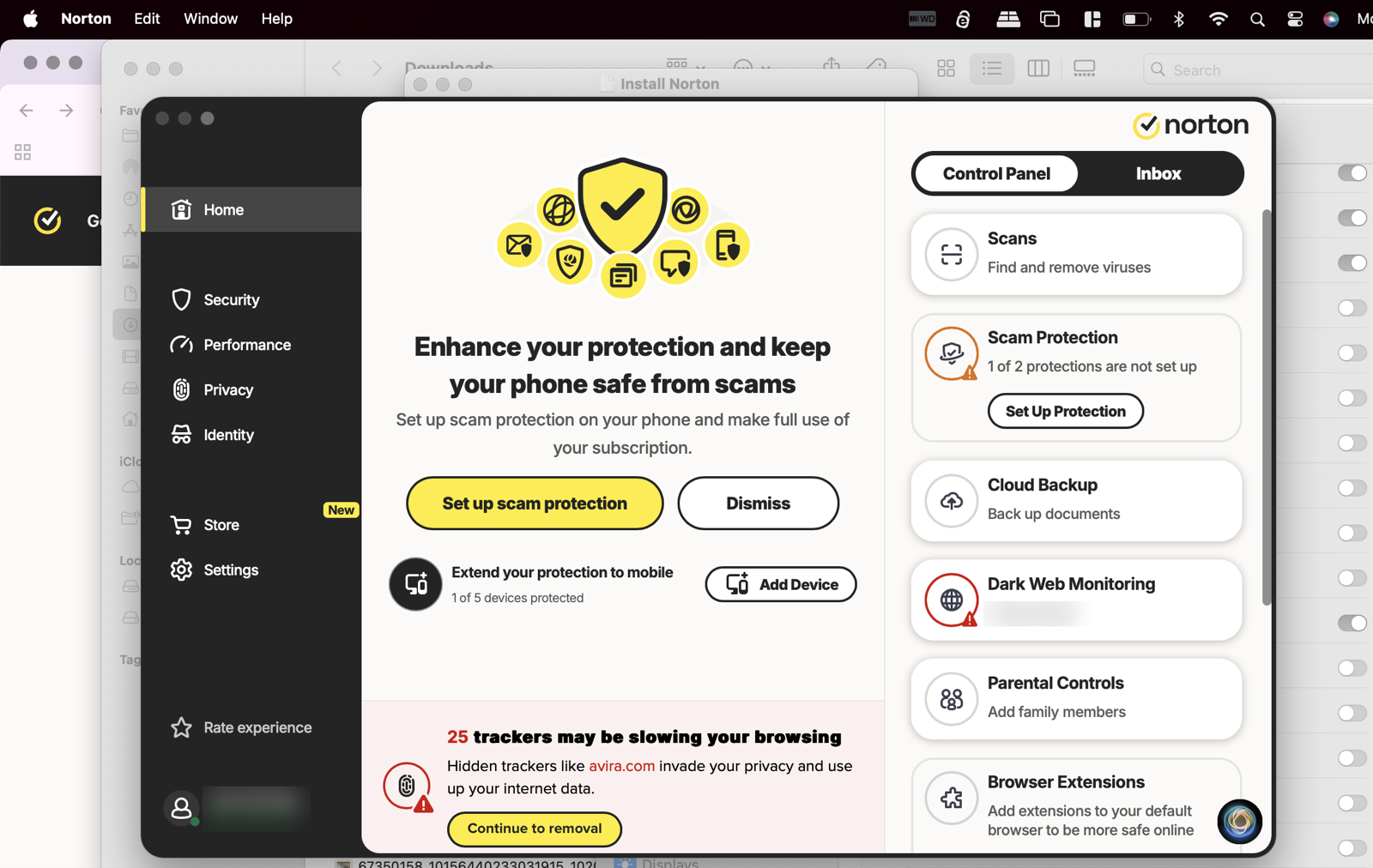
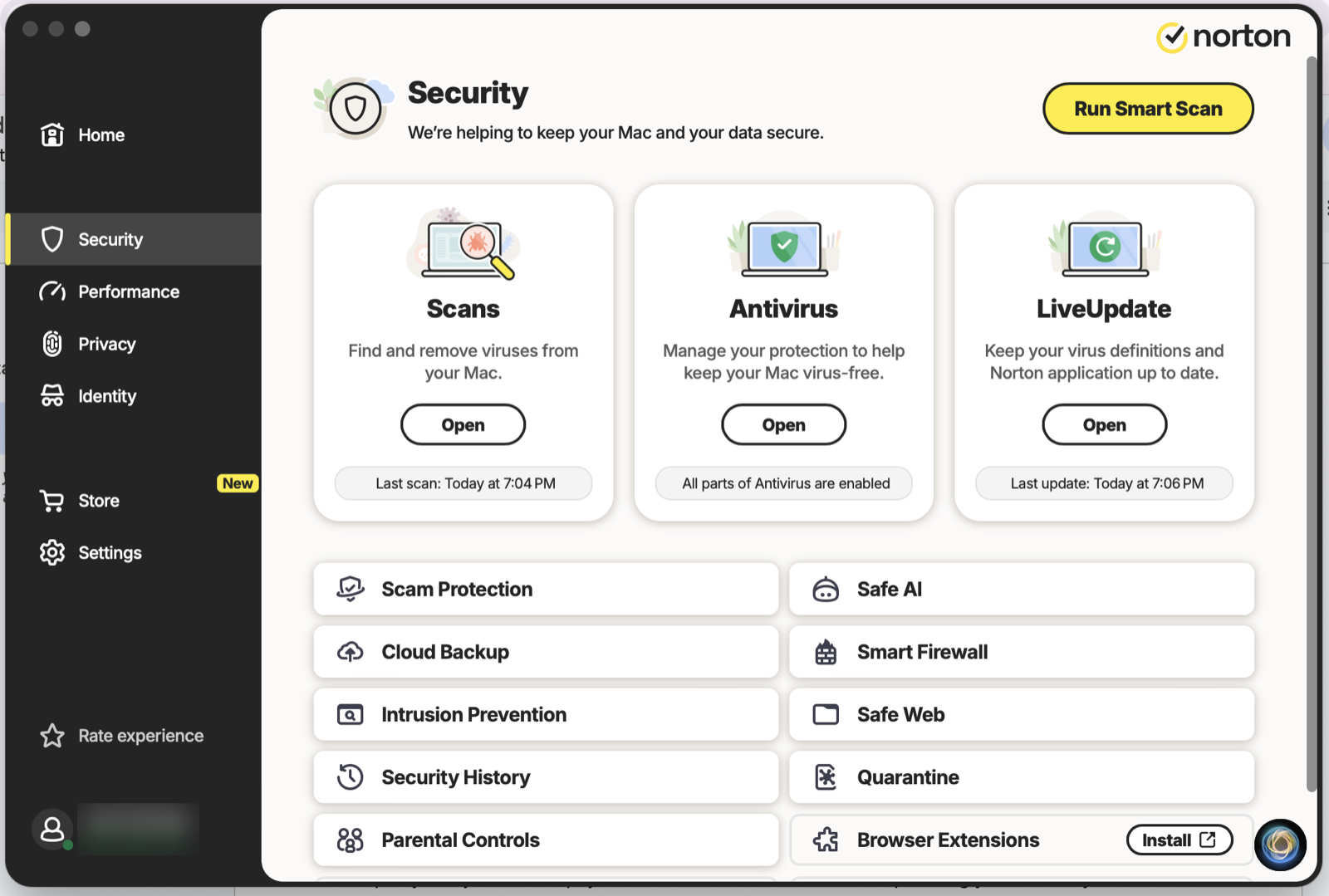
Downloading was easy. Take your time stepping through the install: follow the prompts and grant the access permissions it asks for, because those are what let it protect your machine. Once it's running, the home screen is simple and intuitive, with Security, Performance, Privacy and Identity protection each a click away. It also shows how many of your 5 devices are covered, with an Add Device button to extend protection to your phone.
Smart Scan
Smart Scan checks for viruses and malware, then runs a Quick Clean of unnecessary files. On my Mac it cleared 12.97GB, though some of that is cache files that will build back up over time. One of the biggest was a 4GB file Chrome quietly downloads called weights.bin. It powers Gemini Nano, Google's on-device AI, which handles writing help, page summaries, tab organisation and Chrome's own on-device scam detection.
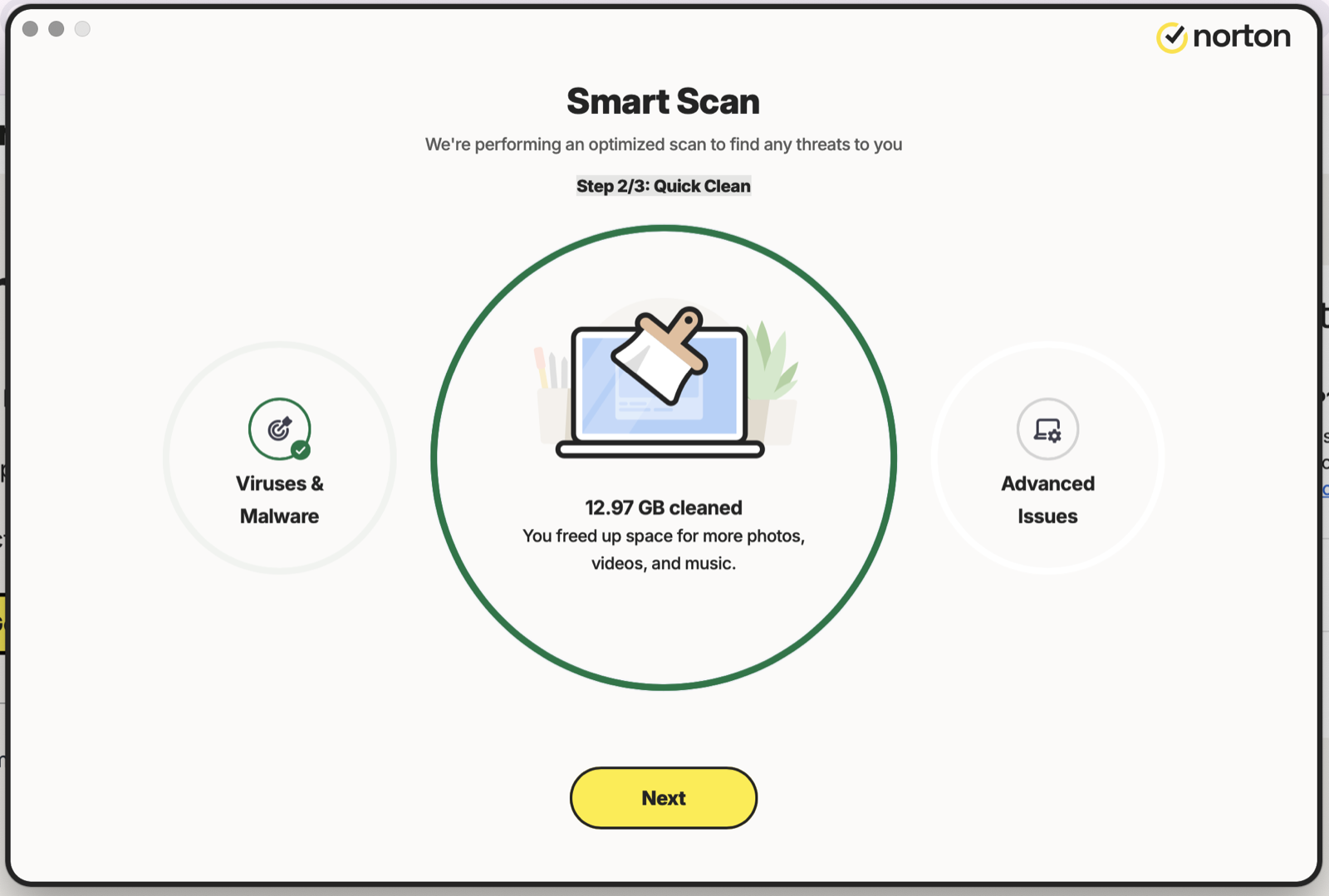
I'd deleted it before, and with Norton I can find and remove it quickly if it comes back. Worth knowing: removing it switches those Chrome features off. With Norton handling scam detection, I'm happy to make that trade for the disk space.
Scam protection
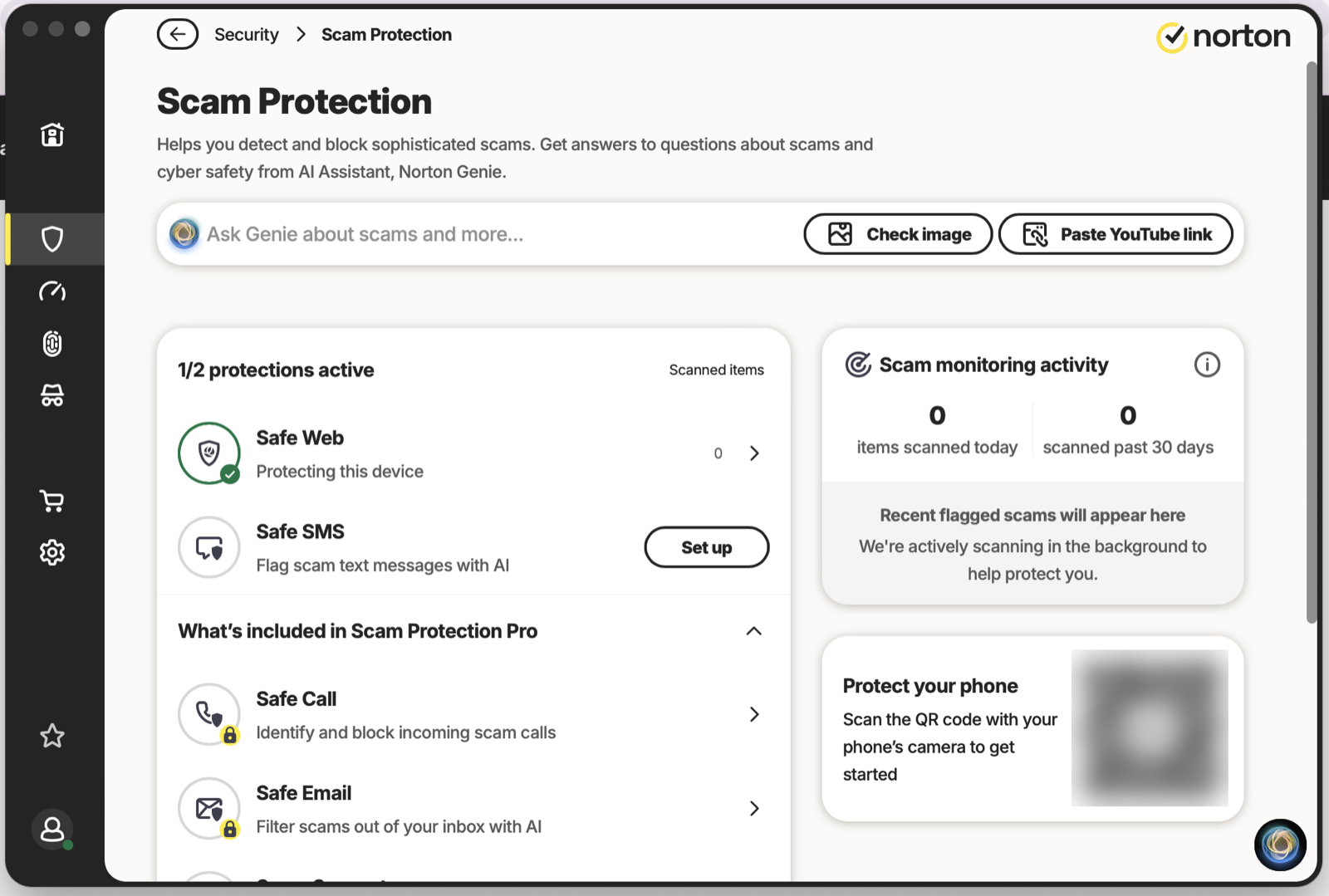
This is the headline feature, and the core of it is included. Safe Web warns you about dodgy shopping and phishing sites, Safe SMS flags scam texts, and there's deepfake detection plus the Norton Genie AI assistant for checking anything that looks off.
I was keen on Safe Call. I've been getting random calls from the USA for the last couple of weeks and it's wearing thin. Safe Call isn't part of Premium, though. It sits in Scam Protection Pro, an upgrade that also adds Safe Email (AI scanning of up to five email accounts). Safe Call works well against robocalls and known scam numbers on Android, but on iPhone Apple's restrictions limit what it can do.
VPN and Private Browser
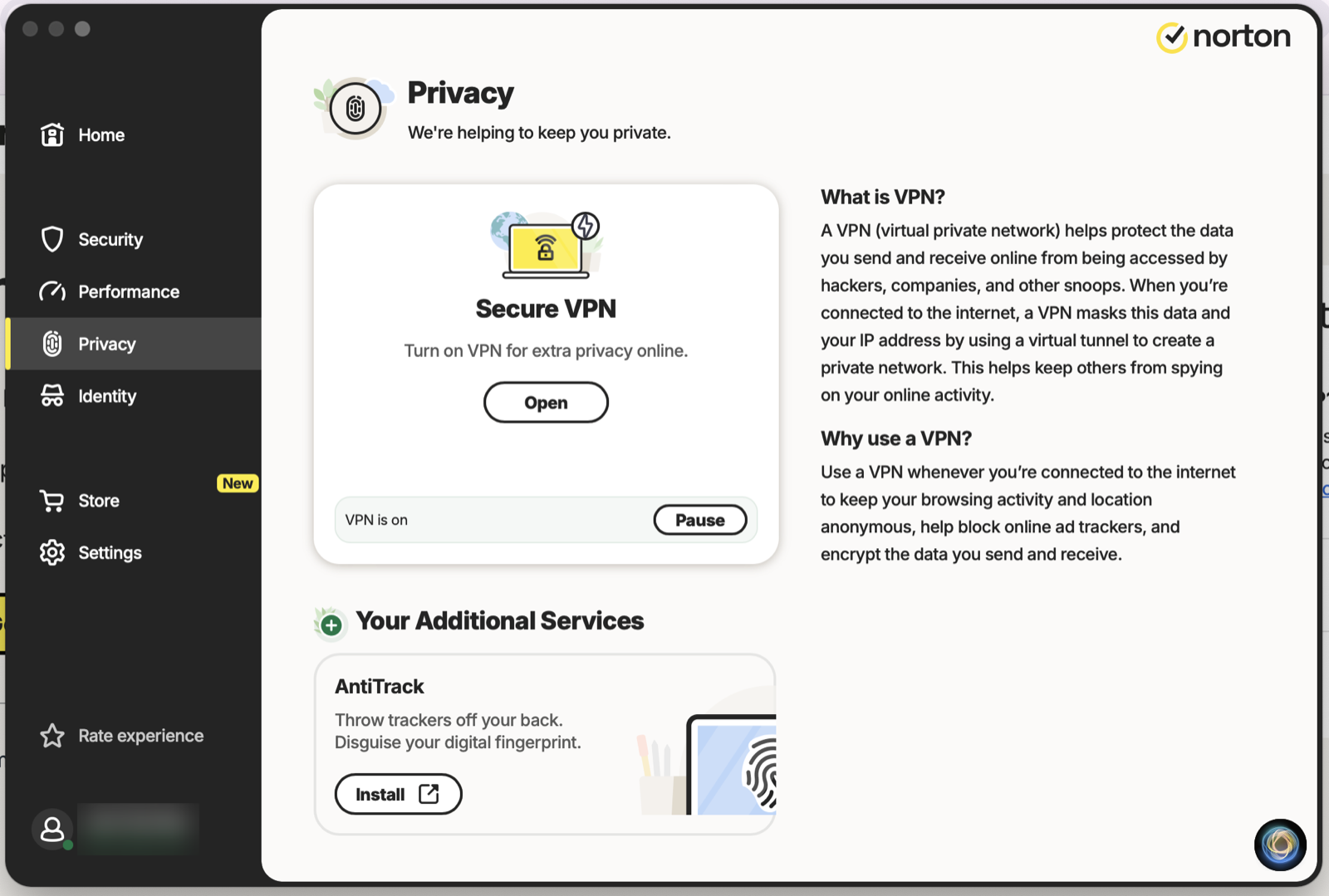
The VPN does the job for masking your location, and like most VPNs you can choose which country to connect through.
Norton Private Browser is a free Chromium-based browser that blocks ads, trackers and malicious sites. If you're happy with your current browser you don't need it, but it's a tidy option for less confident users who want security switched on from day one.
Safe AI
This one caught the gadget guy in me. AI tools are moving from answering questions to taking action: running commands, installing software and working with your files. One bad action from an AI agent or an untrusted tool can do real damage. Norton Safe AI works in real time with tools like Claude Code, Cursor and Visual Studio Code to block unsafe actions, and your prompts and files stay on your device. It's available on Windows and Mac.
Password manager
I clicked through to the Chrome Web Store to look at it, and the reviews weren't flattering. I'll stick with what I already use.
The catch: advanced features cost more money
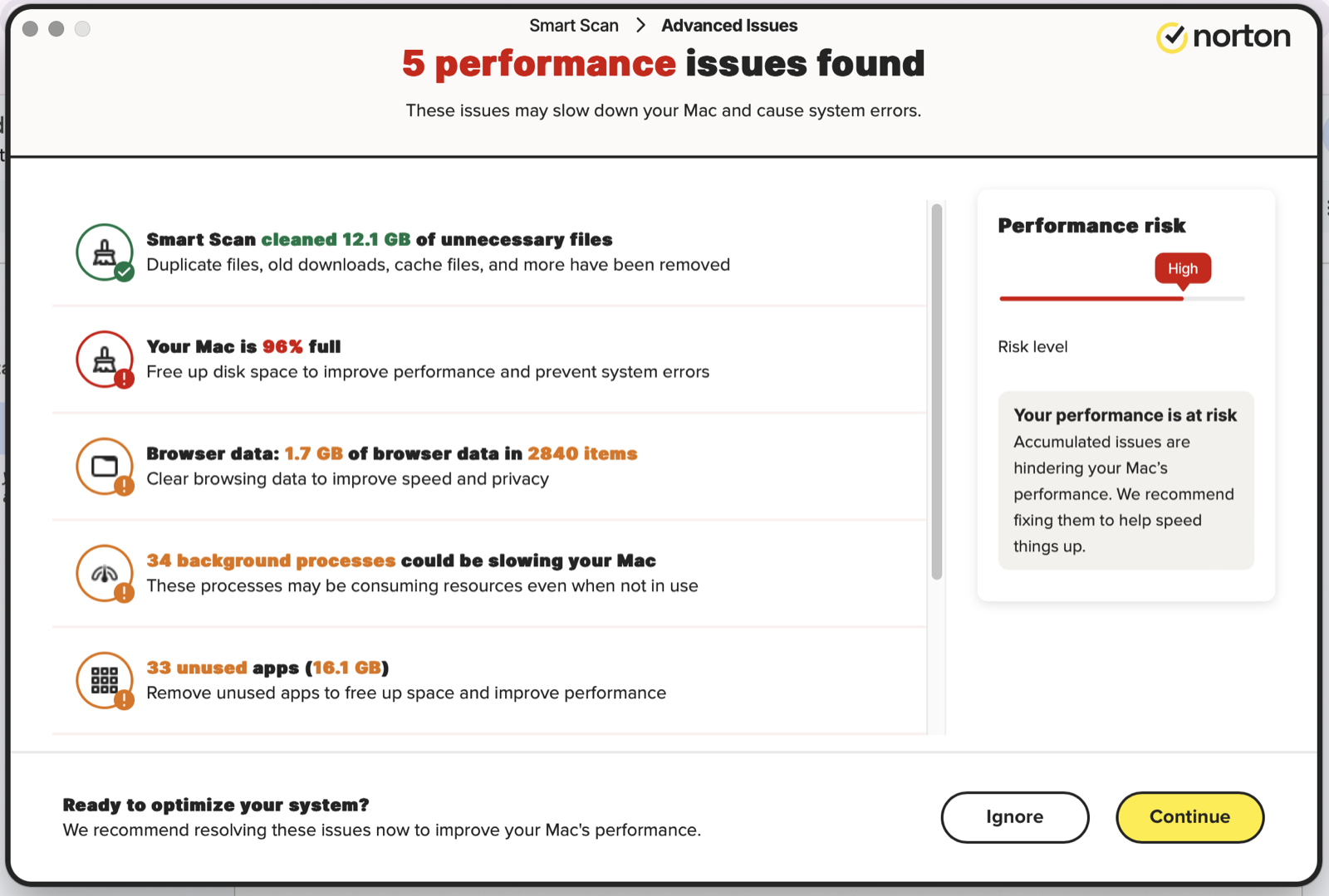
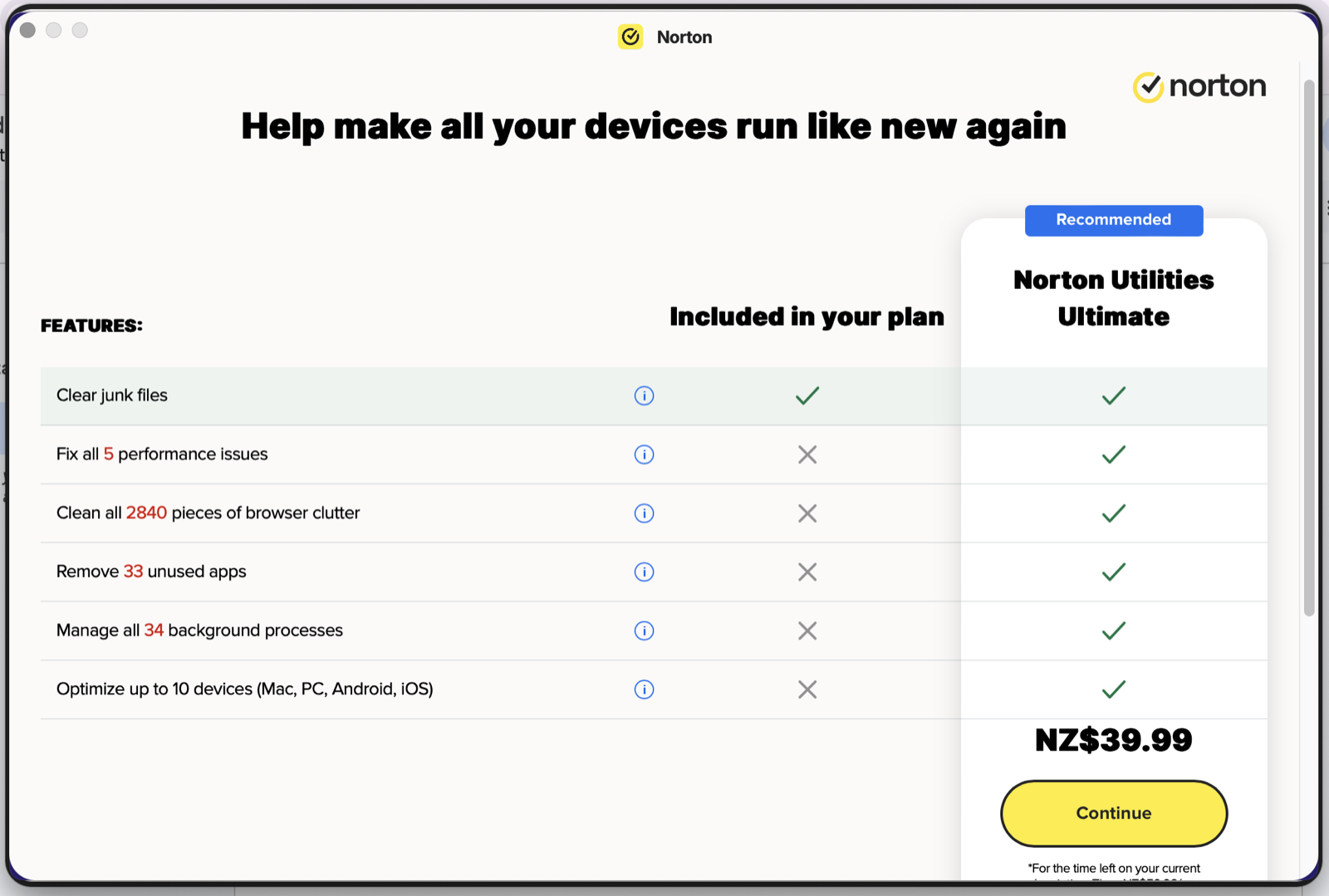
While most of the tools are included, some of them will require an extra payment or an add-on product. Straight after the clean-up, Smart Scan told me it had found 5 performance issues and rated my Mac's performance risk as High. Premium clears junk files, but fixing the rest (browser clutter, unused apps, background processes) needs Norton Utilities Ultimate, offered to me at NZ$39.99 for the rest of my subscription. Whether you pay extra for Norton to optimise your whole system is up to you.
Verdict
If you're a Mac user who wants protection that works straight out of the box, Norton 360 Premium is a solid choice from a brand that consistently scores well in independent testing. Ignore the upsells unless you need a specific feature, and check the renewal price before it auto-renews.
If you're already running a separate VPN and password manager, you probably don't need this. If you'd rather have one app, one subscription and one place to look, it's a solid choice.
What's included, and what costs extra
Included in Norton 360 Premium
- Cover for 5 devices for 12 months (PCs, Macs, smartphones or tablets)
- Real-time antivirus, malware, ransomware and hacking protection
- 100% Virus Protection Promise
- Scam Protection: Safe Web, Safe SMS, Deepfake Protection and Norton Genie AI assistant (automatic deepfake detection needs Windows 11 and certain hardware; other devices get manual scans)
- Safe AI protection for AI agents and coding tools (in my app, though not yet listed on Norton's NZ Premium page)
- Secure VPN with country selection
- Password Manager
- Dark Web Monitoring (monitors your email address by default)
- Parental Control (installs on a child's Windows PC, iPhone or Android device, not a Mac)
- 100GB Cloud Backup (Windows only; the tile shows in the Mac app but Mac isn't supported)
- Smart Scan for clearing unnecessary files
Free, with or without a subscription
- Norton Private Browser
- Norton Password Manager
Costs extra
- Scam Protection Pro: adds Safe Call (scam call blocking and labelling) and Safe Email (AI scanning of up to five inboxes)
- Norton Utilities Ultimate: fixes performance issues, browser clutter, unused apps and background processes across up to 10 devices (NZ$39.99 for the remaining subscription term in my trial)
- Renewal: NZ$124.99 for the first year direct from Norton, then NZ$204.99 a year
Where to buy
You can buy Norton 360 Premium direct from Norton NZ, or from NZ retailers such as PB Tech, Harvey Norman, JB Hi-Fi and Noel Leeming. Retail versions come with cover for 1, 3, 5 or 10 devices, for one or two years, so pick the pack that matches what you need.
Retail keys are often cheaper than buying direct, especially in the Black Friday sales, so compare prices before you buy. Also check whether a key needs a credit card or PayPal to activate, because that usually switches on auto-renewal.
Norton provided a free version of the software for this review. It is not a paid recommendation.